 OneLake Studio
Features
Browse OneLake and query any table, file or semantic model with SQL, on your machine, read only and offline. The same in the app and in the VS Code extension.
One SQL name for every table and model
A query can join tables from different items and workspaces with no setup. A Power BI semantic model is queried like a table, and AGG("measure") computes a measure.
SELECT * FROM lakehouse.demo.data.aemo.duid;

SELECT duid.Region, AGG("Mwh")
FROM semanticmodel.demo.DL GROUP BY ALL;
Semantic models: diagram and pivot
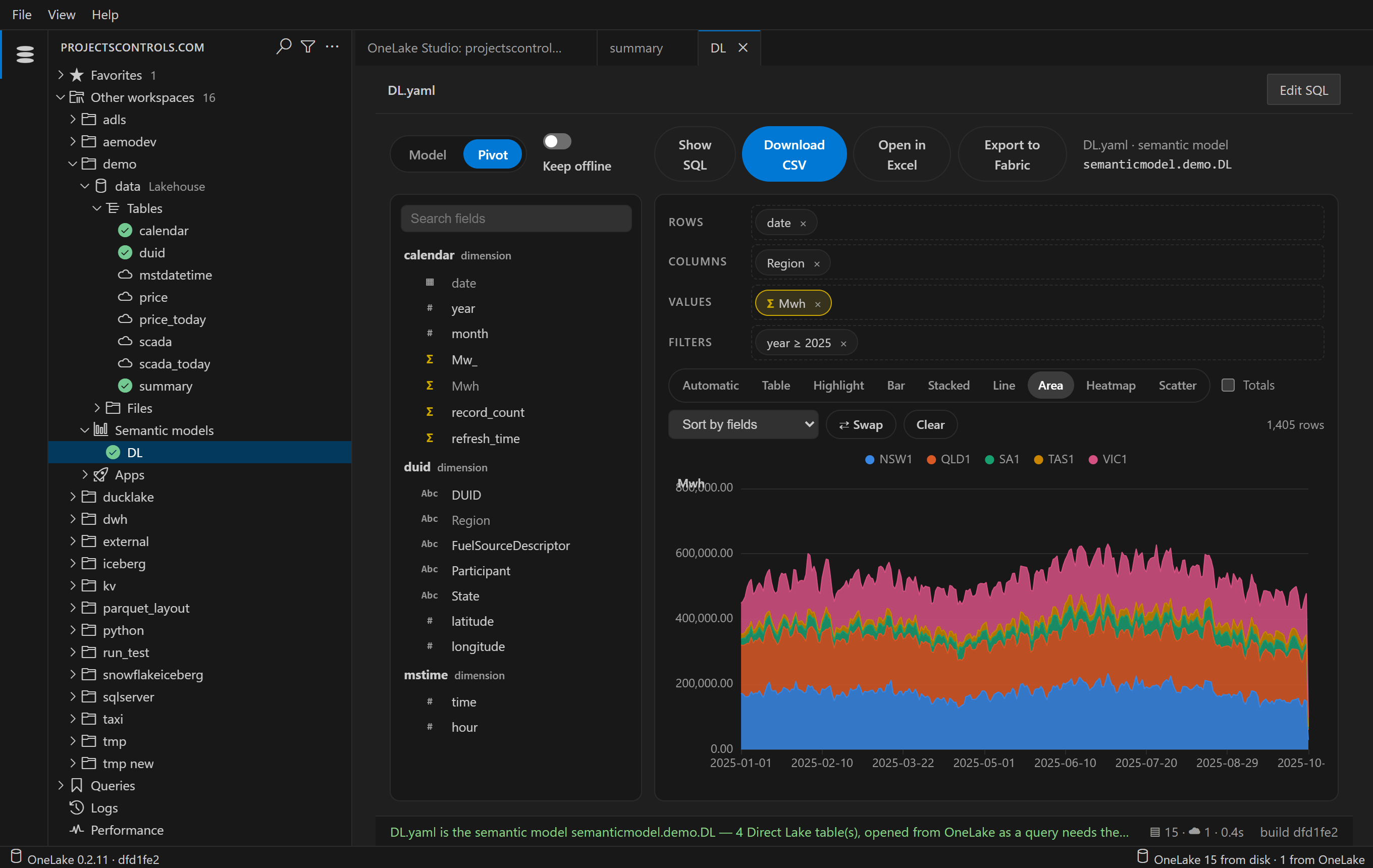
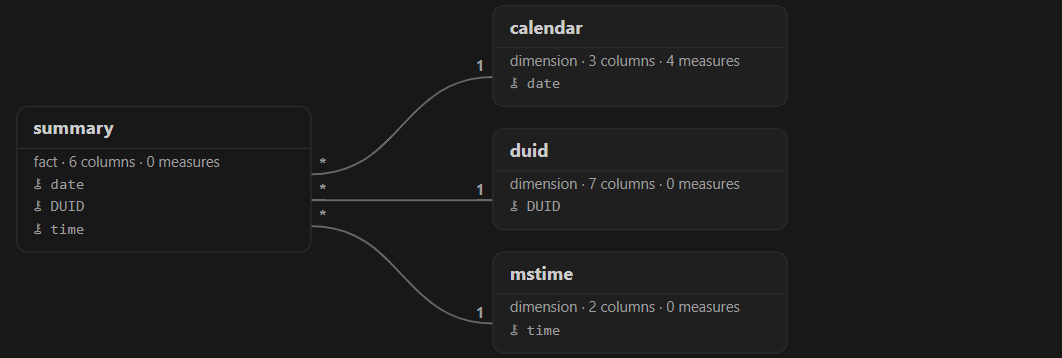
See a model's tables and relationships. Drag fields to build a table or a chart, and see the SQL behind it.
Open in Excel
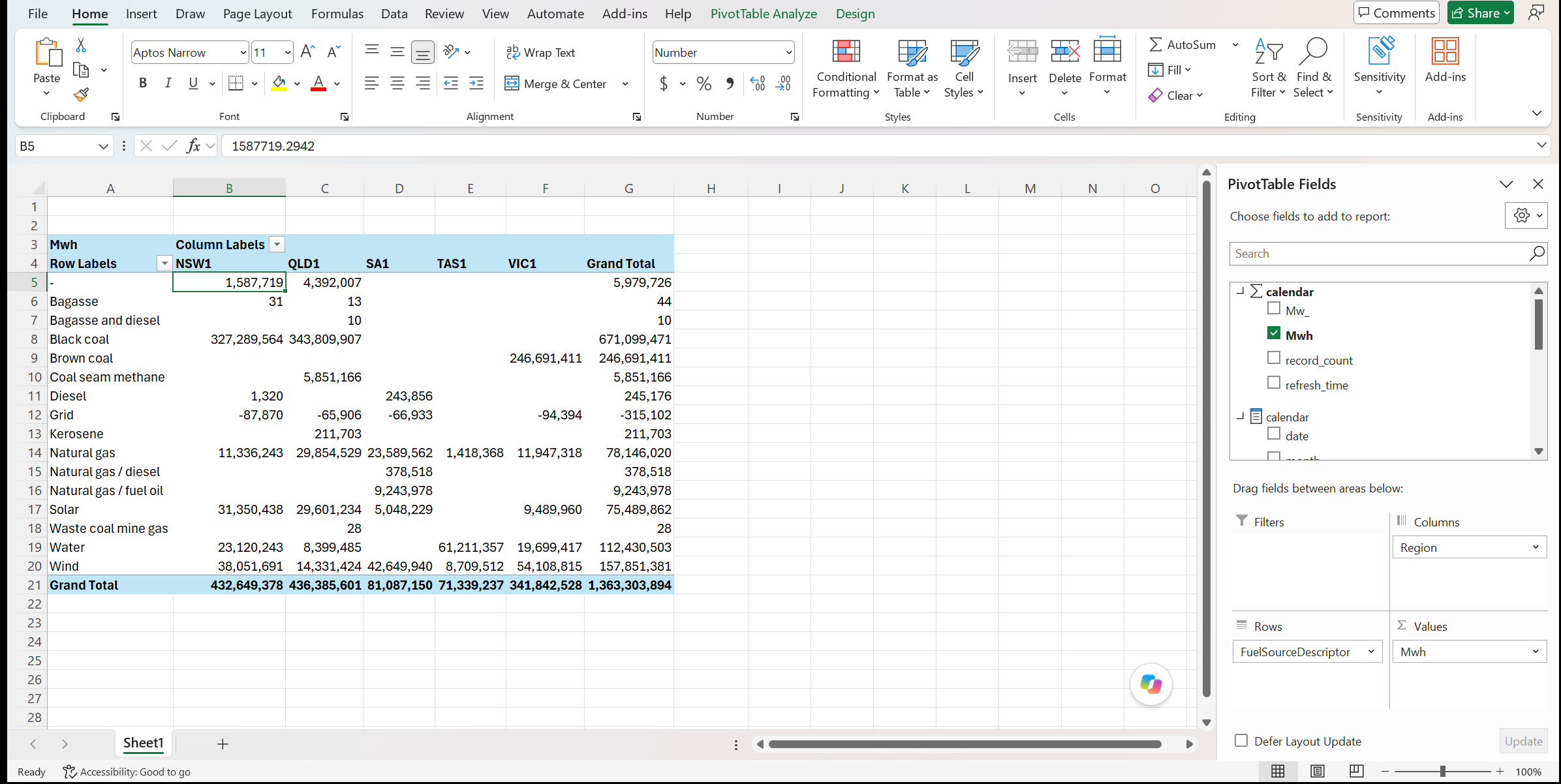
A button on a model's Pivot opens a new Excel workbook with a PivotTable connected to the model. It runs on your machine, so it also works offline. Windows only.
Export to Fabric
Publishes a model's Pivot as a Fabric app. People open it in the browser after signing in to Fabric, and pivot the model there with nothing to install. The app doesn't copy the model: it reads it from the lakehouse.
Table stats and history
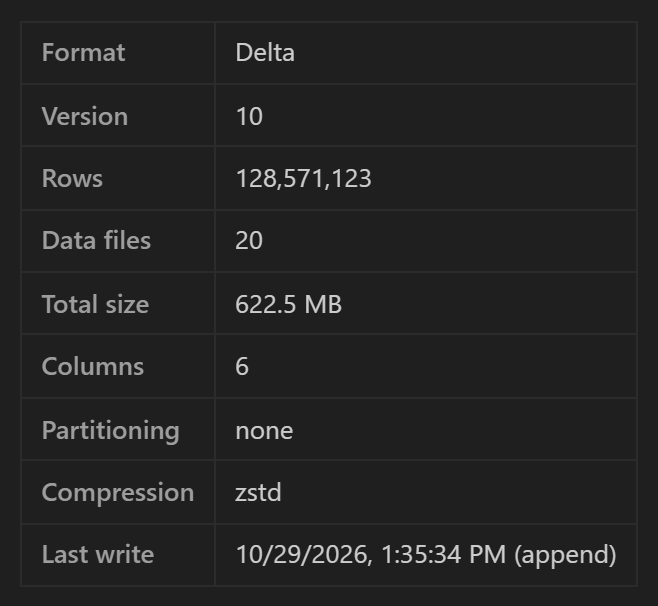
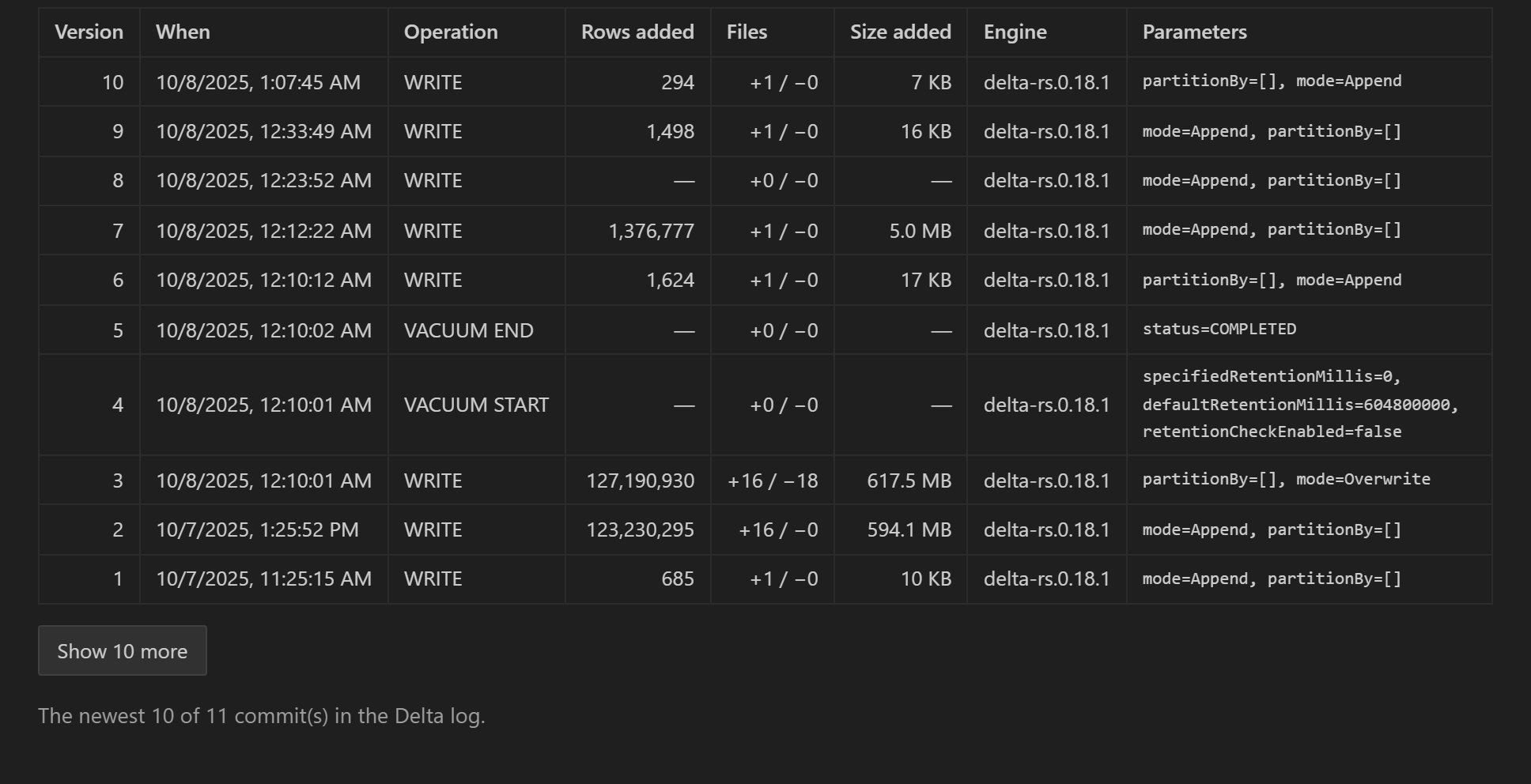
Click a table to see its columns, row count, first rows, and the stats and history of a Delta or Iceberg table.
Query plans
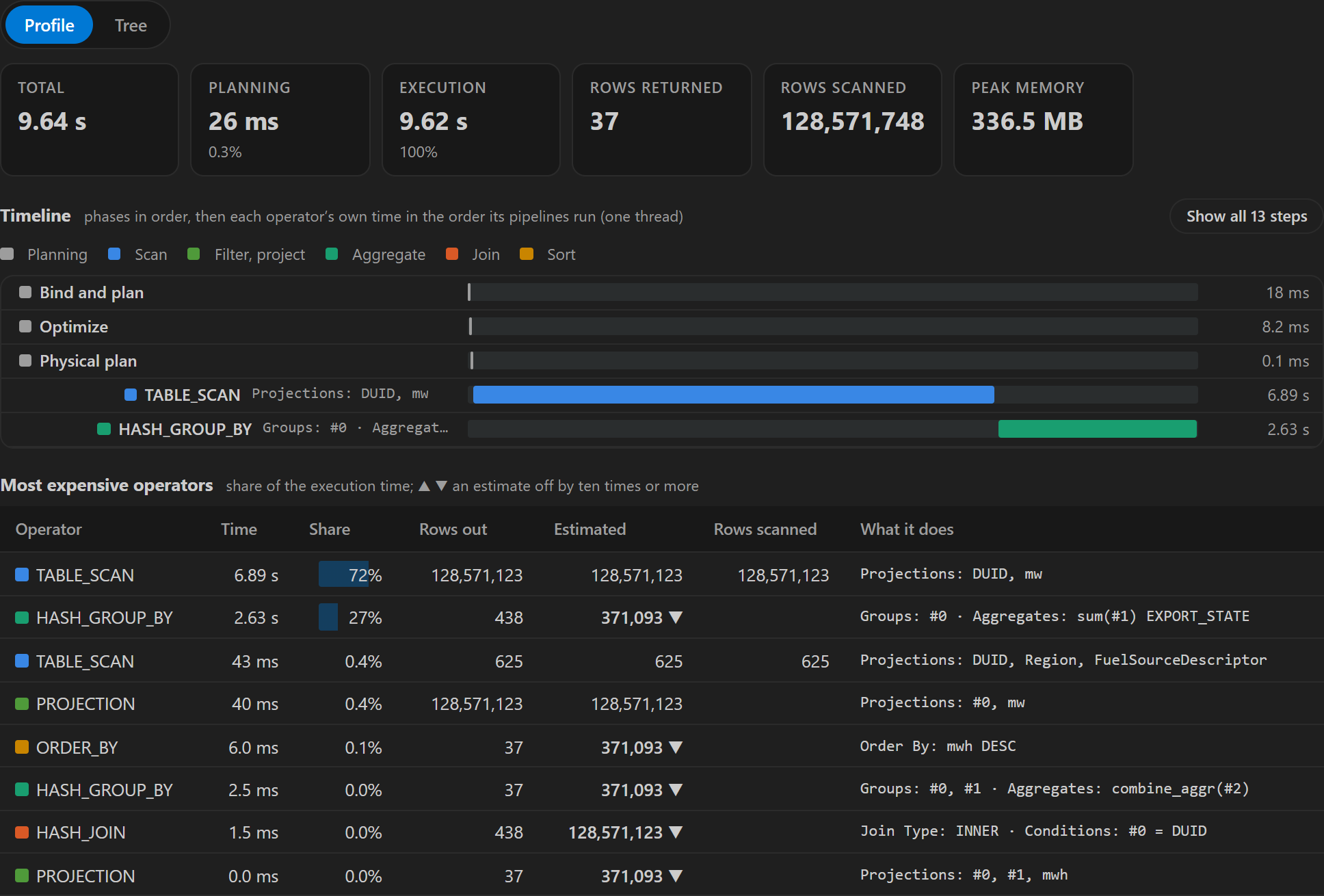
A query's plan shows how long each step took and which operators cost the most.
Claude Code and GitHub Copilot can use it too. After one command, they can list your data, read a model's measures and compute them.
It works offline. Anything you have read can be browsed, queried and pivoted without internet.
Read only. The only exception is Export to Fabric, which is experimental and asks you first.